

Description
As you have probably seen by now React State can be pretty cool and powerful. Whenever you change the value of your state (with the setState function) it immediately shows the new value in the UI. The react hook useState works well for this when your changes are the same component.
But what happens if I want the changes to happen in a different component?
Well then you can pass the state down as props or you can lift the state to a higher component. This way you should be able to create a relatively small web without any problems.
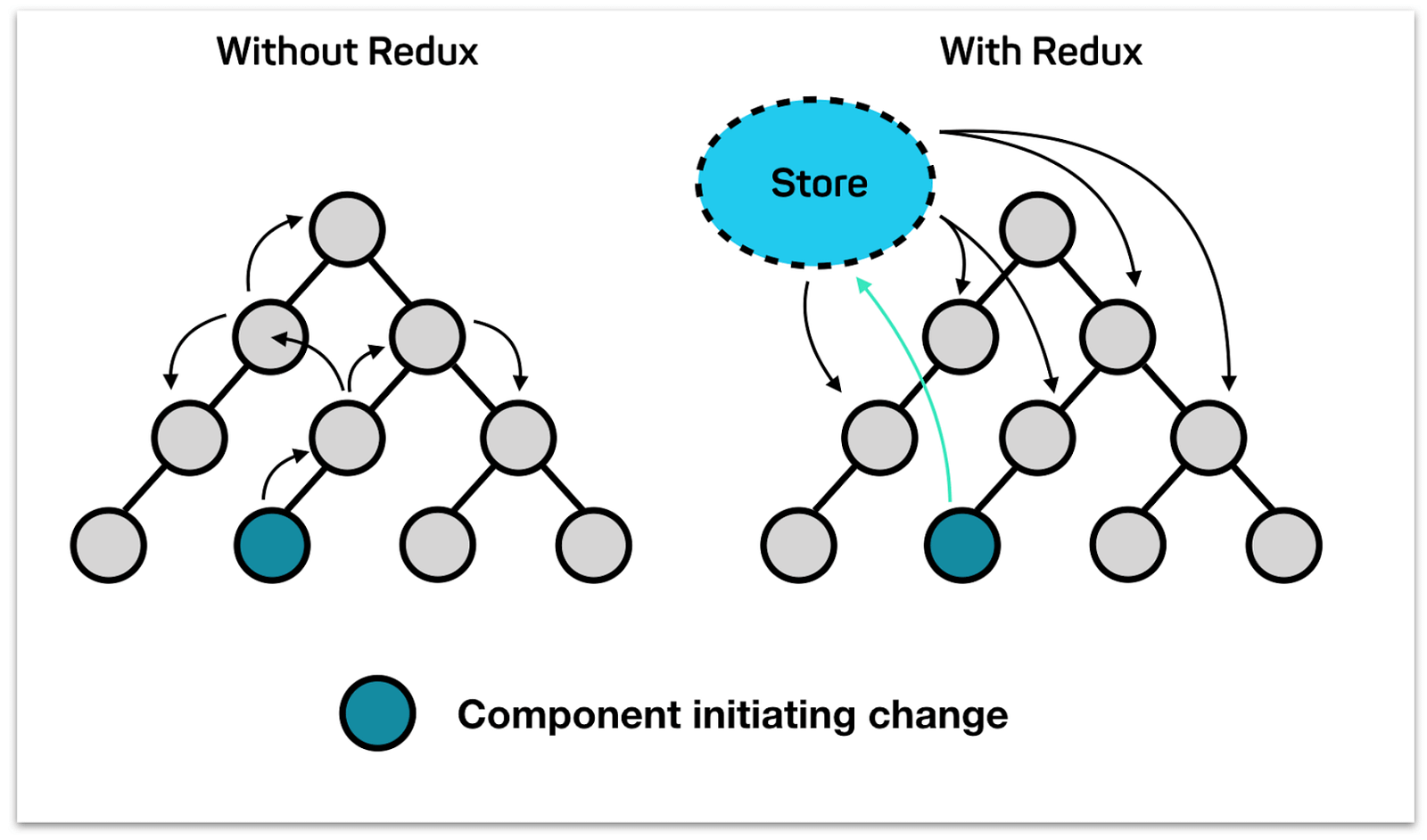
But what happens if I want to update something in component 3 when I click something in component 4? (see picture below)
When the component tree starts to get big it can be pretty messy to try to pass the state all the way through the tree as props. That is why React has introduced the React Context. That is a way of storing state globally. In this guide we will test it out and try to figure out how to use it and what it does for us.
For showing your state management skills it is recommended that you use either React Context or a state management library such as Zustand or Redux. A word on picking one: you will find a lot of older tutorials recommending Recoil, which Meta archived at the start of 2025 — it still works but nobody is maintaining it, so do not start something new with it. Zustand is the one most people reach for now when Context is not enough. And if what you actually need is server data rather than app state, look at TanStack Query, which solves a different problem than all of these.