

Background image
logologo symbol

3 - The fundamentals

JavaScript Frameworks

Description

When you hear the term "framework" in the context of web development most often people are refering to the JavaScript frameworks. But the term can be quite confusing and most of the famous JavaScript frameworks are actually not frameworks but libraries and they are actually not even JavaScript but TypeScript 🙃
The truth is that the border between libraries and frameworks can be a bit blurry and we tend to talk about a framework when using it changes the way we write our code, that is why Tailwind is called a framework because when we use it, we stop writing css in css files and we just write classes in our html. React claims not to be a framework because they use the same way as vanilla JavaScript for if statements and loops while Vue and Angular have their own way of looping and branching.
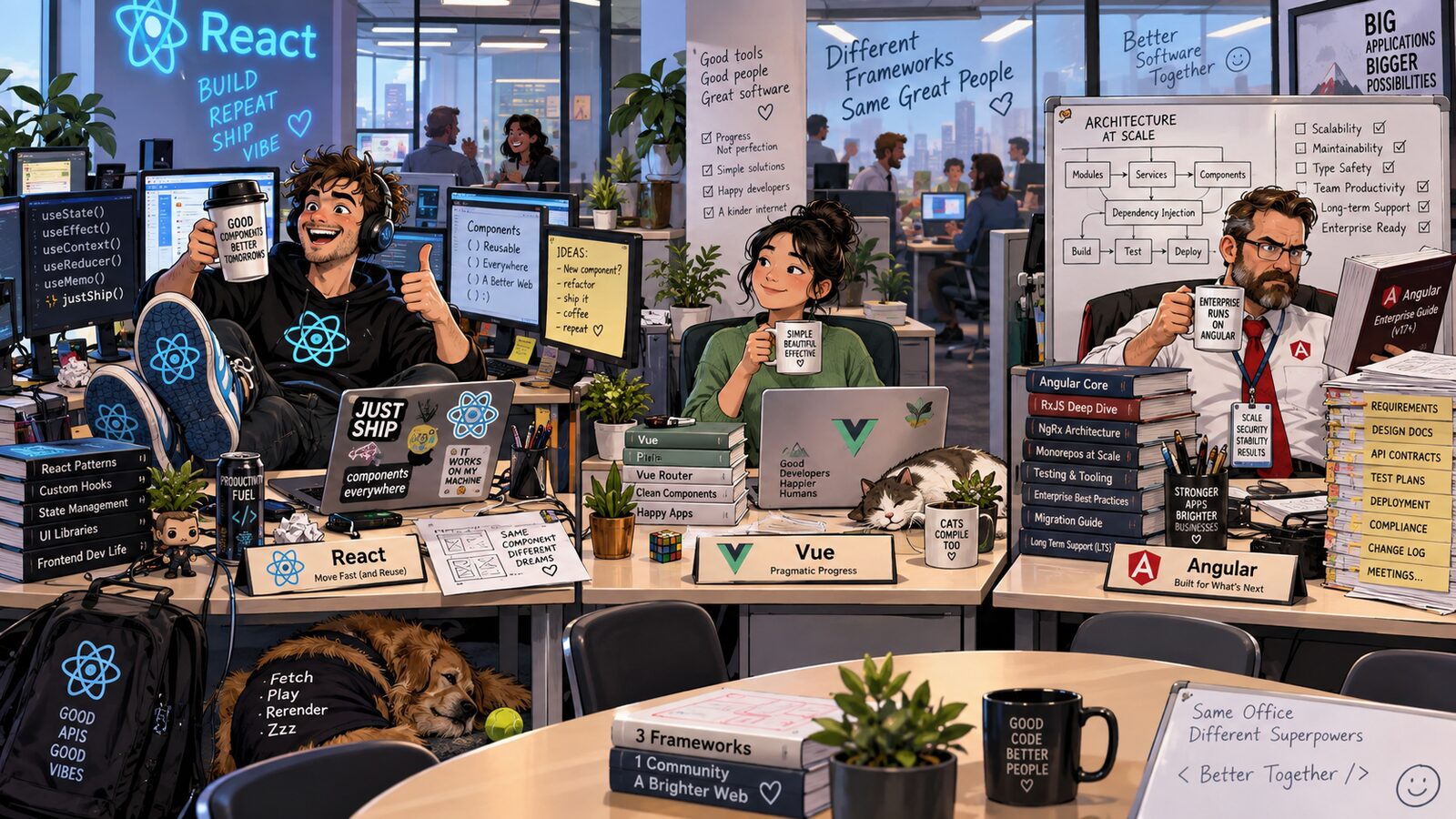
React, Vue and Angluar have caused a fierce debate within the web development community and it is time for you to decide what side you are on. First you can look at the slides I made to compare the three here but don't take my word for it. Try it out yourself with your favorite AI agent and make it help you compare the three giants and decide what kind of character you are when it comes to web development.
This guide is about comparing the three frameworks and getting a feeling of how you would choose the correct framework for the project you are going to build in the group project. React, Vue and Angular
Topics

Use these topics as Google searches or starting points for a conversation with your AI. Add the framework and version you are using, ask for a small example, and check the explanation against the official documentation.
  1. JavaScript libraries vs frameworks — Why is React called a library, and how do Vue and Angular differ in scope?
  2. Declarative UI vs manual DOM updates — How does changing state update the page compared with vanilla JavaScript?
  3. Components and TypeScript — Compare a React function with JSX/TSX, a Vue single-file component with <script setup>, and an Angular component class.
  4. Project setup and development tools — What do npm, Vite and Angular CLI do, and how do I run and build each app?
  5. State and reactivity — Compare React useState, Vue ref and Angular signal with the same counter example.
  6. Updating arrays and objects — Why use immutable updates in React and Angular signals, and how does Vue track mutations?
  7. Derived state and computed values — How would each framework calculate a total or filtered list without storing duplicate state?
  8. Form inputs and event handling — Compare React controlled inputs, Vue v-model, and Angular property and event bindings.
  9. Conditional rendering — Compare JavaScript conditions in JSX, Vue v-if, and Angular @if.
  10. Rendering lists and stable keys — Compare React map and key, Vue v-for and :key, and Angular @for and track.
  11. Parent–child communication — How do props/inputs pass data down, and callbacks, Vue emits or Angular outputs send events back up?
  12. Side effects and localStorage — Compare React useEffect, Vue watch and Angular effect when saving and restoring app data.
  13. DOM references and update timing — How can I focus an input after it appears using React refs, Vue nextTick or Angular view queries?
  14. Reviewing AI-generated framework code — How can I spot outdated syntax or invented APIs, test the app, and use browser and build errors to fix it?
  15. Fair framework comparisons and choosing a framework — With the same features and design, how do I compare readability, tooling, ecosystem and team needs? How do I measure source lines, gzipped JavaScript, build time and install size, and explain the limits of those measurements?

Goals

Knowledge

  • Understand what JavaScript frameworks do and how they differ from libraries and vanilla JavaScript.
  • Understand the main differences between React, Vue and Angular in how they organise code and build user interfaces.
  • Understand shared framework concepts, such as components, state and data binding, and how these ideas transfer between technologies.
  • Know how to compare different frameworks effectively using AI, using comparable examples and checking the reliability of its explanations.
  • Understand what makes a framework suitable for a project, including the project’s needs, the team’s experience and the tools available.

Skills

  • Be able to use AI to explore an unfamiliar framework, ask useful follow-up questions and try out small working examples.
  • Be able to create a comparison website that helps others understand the differences between technologies.
  • Be able to read and compare code across frameworks, recognising how the same feature is implemented in different ways.
  • Be able to explain technical concepts in your own words, supported by code examples or interactive demonstrations.
  • Be able to choose a framework for a project and justify the choice, drawing on practical experience and a balanced comparison.

Idea for return

Generate the same website with all three frameworks. If you use the same website as you generated with two different CSS frameworks, you can even compare them to the vanilla way as well and that might be interesting.
After generating the three, make the AI generate a comparison page where it explains the main difference, ask it what was quickest to generate and ask it to explain things that you find interesting in the code.
Example of prompts:
  • Make a website in [framework] that looks and behaves exactly like this website [link to the page you did in the last guide]
or
  • Make a website in [framework] that helps mee keep track of all the books that I want to dead, so that I can mark them as read, add a book and more
or something totally different, then send the same prompt two more times only changing the framework.
Lastly, and this is the most important part, you ask it to generate an interactive comparison between all the solutions. Also ask it specific questions about some part of the code that you find intersting or how it did some of the code. Have a discussion with it about the project and ask it to make an interactive explanation section about the most interesting results of your discussion to add to the report so that the students who are reviewing your project will be able to learn from it as well.
Then review two other students and hopefully by the end of it you will have a pretty solid feeling of the difference between all these frameworks and how they work.

Materials